
The document describes how to set up and operate a Dell computer.
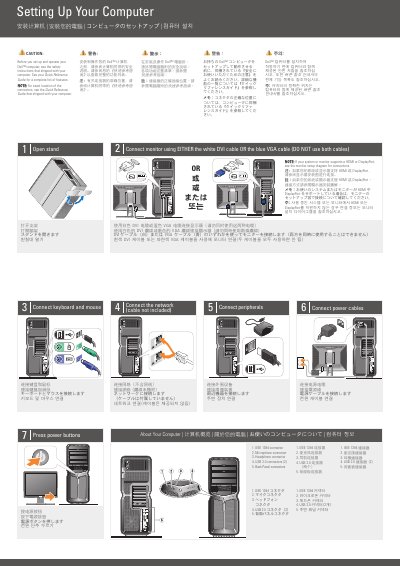
Before setup, the guide directs users to the safety instructions that shipped with the computer and to the Quick Reference Guide for features and connector locations. It then lists setup steps for connecting the keyboard and mouse, monitor, network, peripherals, and power cables, followed by pressing the power buttons and opening the stand.
Monitor connection uses either the white DVI cable or the blue VGA cable, not both. If the system or monitor supports HDMI or DisplayPort, the guide refers to the monitor setup diagram for connections.
See your Quick Reference Guide for a complete list of features.
For exact location of the connectors, see the Quick Reference Guide that shipped with your computer.
Use either the white DVI cable or the blue VGA cable, but do not use both cables.
See the monitor setup diagram for connections.