
The Dell computer user manual introduces the methods and precautions for using the computer.
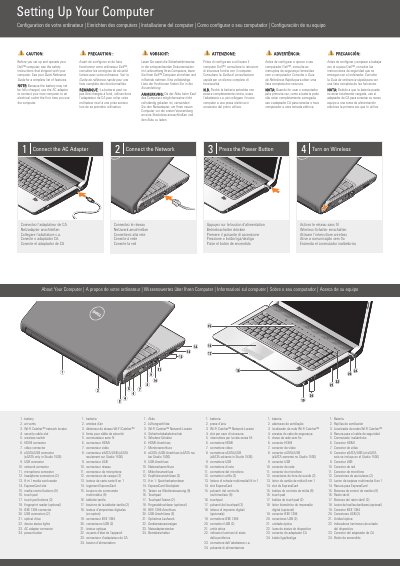
This two-page setup document for the Dell Studio 1536 computer shows initial setup steps: connect the AC adapter, connect the network, press the power button, and turn on wireless. It also identifies the computer's ports, buttons, and status lights, and includes an optional wireless network diagram.
The document is multilingual, with the same instructions and labels in English, French, German, Italian, Portuguese, and Spanish. It refers readers to the Quick Reference Guide and support.dell.com for more information.
| eSATA/USB connector | eSATA only in Studio 1536 |
|---|---|
| Headphone connectors | 2 |
| Media control buttons | 9 |
| USB connectors | 2 |
| Media card reader | 8-in-1 |
| Touch pad buttons | 2 |
Use the AC adapter to connect the new computer to an electrical outlet, because the battery may not be fully charged.
See the Quick Reference Guide; if you do not have a printed copy, go to support.dell.com.
Read the safety instructions that shipped with the computer.
The eSATA connection is only available on the Studio 1536.