
The document describes how to set up and operate a Dell computer.
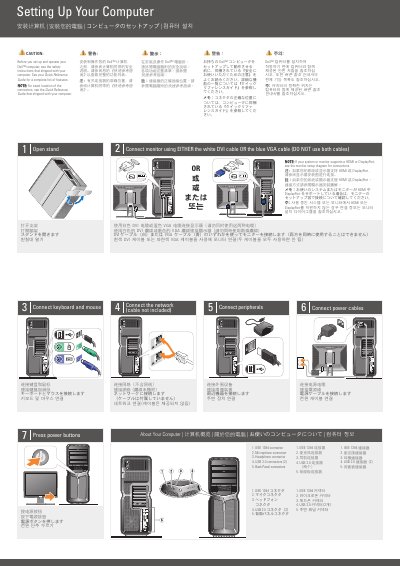
This document is a multilingual setup guide for a Dell computer. It explains safety precautions and the steps to connect the keyboard, mouse, monitor, network, peripherals, and power cables, then press the power buttons.
It also identifies the back-panel connectors, including IEEE 1394, microphone, headphone, and two USB 2.0 connectors, and notes that the monitor should be connected with either a DVI or VGA cable.
| USB 2.0 connectors | 2 |
|---|---|
| Monitor connection | DVI or VGA, not both |
See the safety instructions that shipped with the computer.
See the Quick Reference Guide that shipped with the computer.
Use either the white DVI cable or the blue VGA cable, but not both.
Two USB 2.0 connectors are listed among the back-panel connectors.