
The EMP can be used with any Dell UPS equipped with a Dell Network Management Card (firmware v01.10 or later).
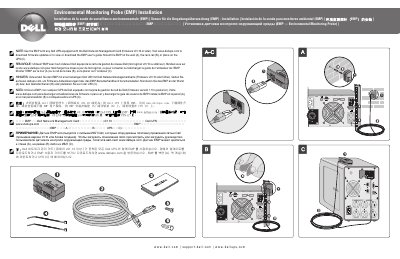
The Dell Environmental Monitoring Probe (EMP) Installation Guide explains how to install the EMP with a compatible Dell UPS. It states that the EMP is used with any Dell UPS equipped with the Dell Network Management Card (firmware v01.10 or later).
The guide describes mounting the EMP on a wall, on a rack rail, or placing it on the UPS. It also directs users to www.dellups.com for firmware updates and the EMP user's guide.
| Compatibility | Any Dell UPS equipped with the Dell Network Management Card (firmware v01.10 or later) |
|---|---|
| Mounting options | Wall, rack rail, or on the UPS |
It can be used with any Dell UPS equipped with the Dell Network Management Card (firmware v01.10 or later).
It can be mounted on the wall, on the rack rail, or placed on the UPS.
Visit www.dellups.com to download firmware updates or to view or download the EMP user's guide.