
The Dell Venue 10 7040 tablet quick start guide.
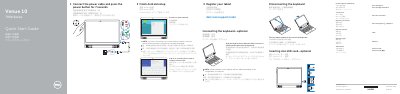
The Dell Venue 10 7040 Quick Start Guide gives setup steps for the tablet. It shows how to connect the power cable, turn on the tablet, finish Android setup, register the tablet, and sign in to a Google account or create a new one.
It also covers inserting an optional microSD card, connecting to a network, and connecting or disconnecting the optional keyboard. The guide lists tablet features, tent and laptop modes, shortcut keys, support and manual links, contact details, and regulatory and safety information. This manual is written in Chinese.
| Tablet model | Venue 10 7040 |
|---|---|
| Regulatory model | T13G |
| Regulatory type | T13G001 |
| Microphones | 2 |
| Speakers | 2 |
| Ports | Headset port; Micro-USB/Charging port; MicroSD-card slot |
Align the keyboard slots with the tablet connectors and insert the tablet into the keyboard.
Turn the tablet outward to disconnect the keyboard.
Enter the password for the wireless network access when prompted.
See the User’s Manual at dell.com/support/manuals.