
The Dell™ Color Laser Printer 5110cn User's Guide provides detailed information on the printer's features, options, and operation.
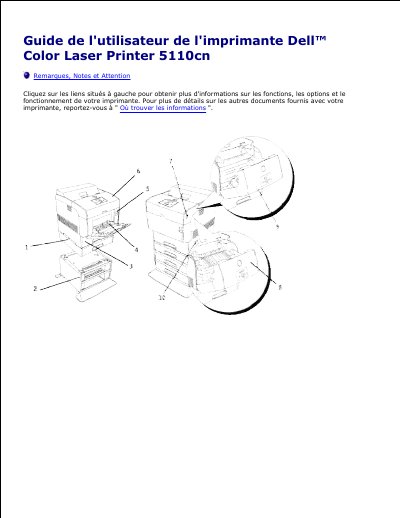
This is the user's guide for the Dell Color Laser Printer 5110cn. The available pages introduce the printer's main components, including the standard 500-sheet tray, optional 500-sheet and 1000-sheet tray modules, multifunction feeder, front latch, control panel, side button, front cover, outer front cover, and power switch.
The guide also explains where to find drivers, safety information, warranty details, and support resources. It describes the Dell Printer Configuration Web Tool for checking printer status, print jobs, printer and print server settings, copying settings, print volume, Dell ColorTrack, printer information, tray settings, email alerts, password settings, and online help. This manual is written in French.
| Maximum paper trays | Up to four trays |
|---|---|
| Standard tray capacity | 500 sheets |
| Optional 500-sheet tray module | 500-sheet tray module |
| Optional 1000-sheet tray module | 1000-sheet tray module |
It can have up to four trays: the standard 500-sheet tray plus optional 500-sheet and 1000-sheet tray modules.
Lift the front latch to open the front cover.
Enter the networked printer's IP address in a web browser.
It is the default setting and means no IP address has been assigned.