
The Dell EMC XC430 is a scale-out hyperconverged appliance that is designed to meet the demands of today's data centers. It features a modular design that can be easily scaled to meet growing business needs.
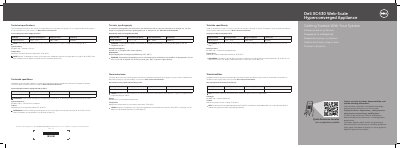
This getting started guide for the Dell XC430 Web-Scale Hyperconverged Appliance shows how to install the system in a rack, connect it to a power source, connect an optional keyboard, mouse, and monitor, secure the power cable, and turn the system on.
It also lists technical specifications for the power supply unit, system battery, and operating temperature, and points to Dell.com/xcseriesmanuals for documentation and updates.
| Power rating per power supply unit (PSU) | 550 W (Platinum) |
|---|---|
| Current consumption | 7.4 A – 3.7 A |
| Supply voltage | 100 – 240 V |
| Frequency | 50/60 Hz |
| System battery | CR 2032 3.0 V lithium coin cell |
| Maximum operating ambient temperature | 35°C (95°F) |
| Validated high-temperature operation | Up to 45°C (113°F) with humidity up to 90 percent |
It uses a 550 W Platinum power supply unit with 100–240 V input and 50/60 Hz frequency.
The system uses a CR 2032 3.0 V lithium coin cell battery.
The maximum operation ambient temperature is 35°C (95°F).
Certain configurations have been validated to perform at temperatures as high as 45°C (113°F) and with humidity up to 90 percent.