
The Dell XC430 is a web-scale converged appliance with the following features:
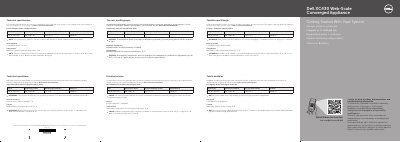
This getting started guide for the Dell XC430 Web-Scale Converged Appliance gives the setup steps and the technical specifications required by law to ship with the system. The steps cover installing the system in a rack, connecting the keyboard, mouse and optional monitor, looping and securing the power cable with the retention strap, connecting the system to a power source and turning it on.
The specification section lists the 550 W (Platinum) power supply rating with 100–240 V AC input at 50/60 Hz, the 3 V CR2032 system battery and a maximum operating ambient temperature of 35°C, with a note that certain configurations are validated up to 45°C. Safety notices, guidance to use EPP-compliant power supply units, documentation links and the Dell End User License Agreement are also included.
| Power rating per power supply unit (PSU) | 550 W (Platinum) |
|---|---|
| PSU input voltage | 100–240 V AC |
| Inrush current (max) | 7.4 A–3.7 A |
| Frequency | 50/60 Hz |
| IT power system voltage | Phase-to-phase not exceeding 230 V |
| System battery | 3 V CR2032 lithium coin cell |
| Maximum operating ambient temperature | 35°C |
| Validated high-temperature operation | Up to 45°C (113°F) for certain configurations |
Install the system in a rack, connect the keyboard, mouse and optional monitor, loop and secure the power cable with the retention strap, connect the system to a power source, then turn it on.
The power rating is 550 W (Platinum) per power supply unit, with 100–240 V AC input at 50/60 Hz.
The maximum operating ambient temperature is 35°C, though certain configurations are validated to perform at temperatures as high as 45°C (113°F).
The documentation set is available at Dell.com/xcseriesmanuals; check for updates and read them first.