
Dell Latitude 15 3000 Series Notebook Quick Start Guide

Dell Latitude 15 3000 Series Notebook Quick Start Guide
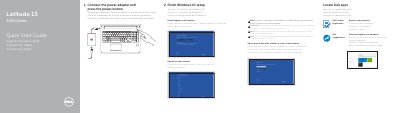

Dell Latitude 15 3000 Series Notebook Quick Start Guide - cover page
Brand
DELL
Category
Laptops
Document type
Quick Start Guide
Language
English
Pages
2
File format
PDF
File size
365 KB
Published
25 November, 2023
Updated
25 November, 2023
MD5 checksum
13140BC49C7E39FDEBD4706B391866D6

About this manual

The Dell Latitude 15 3000 Series Quick Start Guide provides essential instructions for setting up the notebook, including power connection, Windows 10 configuration, and network connectivity.

It details the hardware features of the device, such as the camera, various USB connectors, and battery status indicators, and provides links for product support and regulatory compliance.

What's inside

  • Connect the power adapter
  • Finish Windows 10 setup
  • Connect to your network
  • Sign in to your Microsoft account
  • Dell Product Registration
  • Dell SupportAssist
  • Features

Specifications

Input Voltage100 V AC–240 V AC
Input Current (max)2.5 A
Input Frequency50 Hz–60 Hz
Output Current4.62 A–6.7 A
Output Voltage19.5 V DC

Frequently asked questions

What should I do if I connect to a secured wireless network?

Enter the password for the wireless network access when prompted.

What is the regulatory model for this laptop?

The regulatory model is P50F.

What is the input voltage range for the power adapter?

The input voltage range is 100 V AC–240 V AC.

What is the maximum input current for the power adapter?

The maximum input current is 2,5 A.

Download PDF (365 KB)

More DELL Manuals


View all DELL manuals →