
Latitude 14 3000 Series Notebook Quick Start Guide
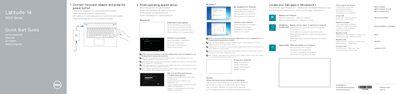
This quick start guide for the Dell Latitude 14 3000 Series notebook presents a numbered feature overview. It identifies parts such as the camera, microphone, power button, security-cable slot, VGA and USB connectors, memory card reader, optional fingerprint reader, battery, and service-tag label.
The guide also points readers to the Owner’s Manual at dell.com/support/manuals for more information and includes sections for learning Windows 8.1 and finding help and tips. Feature labels are provided in several languages.
| USB 3.0 connectors | 2 |
|---|---|
| Fingerprint reader | Optional |
| Power button | No LED indicator |
The guide refers readers to the Owner’s Manual at dell.com/support/manuals.
No, the guide lists the power button with no LED indicator.
Yes, the fingerprint reader is listed as optional.
Two USB 3.0 connectors are listed.