
Dell Latitude 15 5000 Series E5570 Quick Start Guide
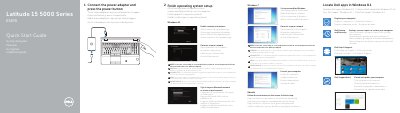
This quick start guide for the Dell Latitude 15 5000 Series E5570 covers initial setup. It shows how to connect the power adapter, press the power button, locate Dell apps in Windows 8.1, finish operating system setup for Windows 7, Windows 8.1, or Ubuntu, connect to a network, and protect the computer.
The guide also labels the laptop's features and connectors, including network, VGA, HDMI, USB 3.0, optional Thunderbolt 3, SIM-card slot, camera, fingerprint reader, smart-card reader, dock connector, and service-tag label. It lists support and contact links and regulatory model P48F and regulatory type P48F001.
| Computer model | Latitude 15-E5570 |
|---|---|
| Regulatory model | P48F |
| Regulatory type | P48F001 |
| Camera | Optional |
| Thunderbolt 3 connector | Optional |
| Fingerprint reader | Optional |
| USB 3.0 connector | Present |
| SD memory-card reader | Present |
Connect the power adapter and press the power button.
Enter the password for the wireless network access when prompted.
Dell lists support at Dell.com/support and manuals at Dell.com/support/manuals.
The computer model is Latitude 15-E5570.