
Quick Start Guide for Dell Latitude 12 5000 Series E5270 laptop.
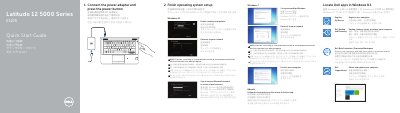
This two-page Dell quick start guide for the Latitude 12 5000 Series E5270 laptop shows how to connect the power adapter, press the power button, locate Dell apps in Windows 8.1, and finish operating system setup. It includes setup notes for Windows 7, Windows 8.1, and Ubuntu, including connecting to a wireless network and signing in to a Microsoft account or creating a local account.
The guide also lists laptop features and connectors, such as the network, VGA, HDMI, USB 3.0, SIM, headset, and dock connectors, plus optional camera, fingerprint reader, and smart-card reader. It provides Dell support and regulatory links and lists regulatory and computer model information.
| Model | Latitude E5270 (P23T) |
|---|---|
| Rated voltage | 100 - 240 V |
| Rated frequency | 50 / 60 Hz |
| Rated input current | 1.7 A (65 W) / 2.5 A (90 W) |
Connect the power adapter and press the power button.
Enter the password for the wireless network access when prompted.
Follow the instructions on the screen to finish setup.