
The Latitude 12 7000 Series Quick Start Guide provides information on how to connect the power adapter, turn on the computer, locate Dell apps in Windows 8.1, register the computer, use Dell Backup and Recovery, use Dell Data Protection | Protected Workspace, and use Dell SupportAssist.
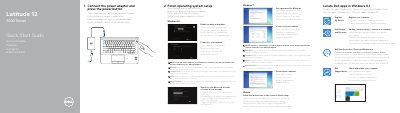
Dell Latitude 12 7000 Series Quick Start Guide is a multilingual quick-start document for the Latitude 12-7270/E7270 computer. It covers connecting the power adapter and power button, finishing operating system setup for Windows 8.1, Windows 7, and Ubuntu, and locating Dell apps and services.
The guide also identifies the computer's features and ports, lists product support and manual links, and provides regulatory model, regulatory type, and computer model information.
| USB 3.0 connectors | 2 |
|---|---|
| USB 3.0 connector with PowerShare | 1 |
| Memory card reader | 1 |
| SIM port | optional |
| Fingerprint reader | optional |
| Computer model | Latitude 12-7270/E7270 |
| Regulatory model | P26S |
| Regulatory type | P26S001 |
Enter the password for the wireless network access when prompted.
Latitude 12-7270/E7270.
Dell.com/support, Dell.com/support/manuals, Dell.com/support/windows, and Dell.com/support/linux.
Follow the instructions on the screen.