
Guide to setting up a Dell computer
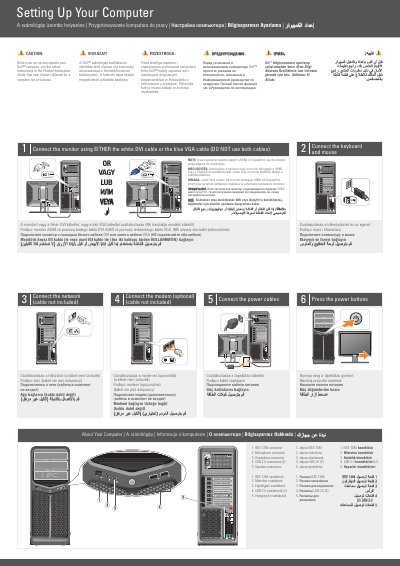
This document is a multilingual setup guide for the Dell XPS 630i desktop computer. It explains how to connect the monitor, keyboard, mouse, network, optional modem, and power cables, then start the system, and identifies the front-panel connectors.
It also includes an optional wireless network setup diagram and directs readers to the Owner's Manual and Dell support resources for more information about using the computer.
| Front-panel USB 2.0 connectors | 2 |
|---|---|
| Monitor connection | DVI or VGA |
| Network cable | Not included |
| Modem connection | Optional |
No. Use either the white DVI cable or the blue VGA cable, but not both.
No, the network cable is not included.
No, connecting a modem is optional.
See the Owner's Manual; if you do not have a printed copy, click the Documentation and Support icon on the desktop or go to support.dell.com.