
The Dell OptiPlex 3030 All-in-One Quick Start Guide introduces the features and functionality of the Dell OptiPlex 3030 All-in-One.
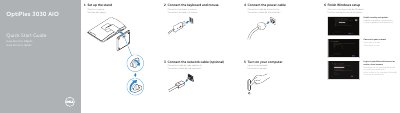
This Dell quick start guide for the OptiPlex 3030 AIO all-in-one computer walks through setting up the stand, connecting the keyboard and mouse, connecting the network and power cables, turning on the computer, and finishing Windows setup. It also lists the computer's features and connectors.
The guide includes product support and contact links, regulatory and safety information, and resources such as Help and Tips, My Dell, and registration. It lists regulatory model and type W10B W10B001, computer model OptiPlex 3030 AIO, and input power ratings.
| Computer model | OptiPlex 3030 AIO |
|---|---|
| Regulatory model and type | W10B W10B001 |
| Input voltage | 100 V CA–240 V CA |
| Input current (maximum) | 2,00 A / 2,50 A |
| Input frequency | 50 Hz–60 Hz |
The computer model is the OptiPlex 3030 AIO.
The listed regulatory model and type is W10B W10B001.
Dell lists dell.com/support for support and dell.com/support/manuals for manuals.
The guide starts with setting up the stand.