
Dell XPS 730/730X Computer Setup Guide

The Dell computer user manual introduces the safety, features and characteristics of the Dell computer.

Dell XPS 730/730X Computer Setup Guide - cover page
Brand
DELL
Document type
User Manual
Language
English
Pages
2
File format
PDF
File size
1.8 MB
Published
25 November, 2023
Updated
25 November, 2023
Models
XPS 730, 730X
MD5 checksum
FCEC289826FD1A257AB8A6345C661664

About this manual

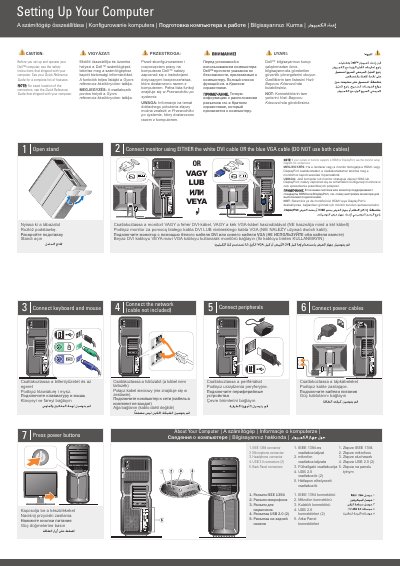
This guide helps you set up your Dell XPS 730/730X computer. It covers connecting the monitor, keyboard, mouse, and power cables. It also explains how to set up a wireless network using a router and adapter. Safety instructions and feature lists are included for reference.

For detailed information, refer to the Quick Reference Guide or visit support.dell.com.

What's inside

  • Setting Up Your Computer
  • Connecting Monitor
  • Connecting Keyboard and Mouse
  • Connecting Network
  • Connecting Peripherals
  • Connecting Power Cables
  • Wireless Network Setup
  • Finding Answers

Frequently asked questions

How do I connect my monitor?

Use either the white DVI cable or the blue VGA cable (do not use both).

What should I do if I don’t have a printed Quick Reference Guide?

Visit support.dell.com for more information.

Download PDF (1.8 MB)

More DELL Manuals


View all DELL manuals →