
The Dell AD211 Bluetooth Portable Speaker is a portable Bluetooth speaker with the following features:
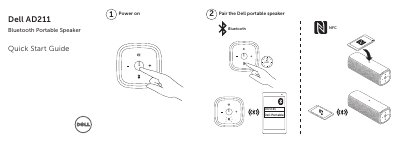
This is the Quick Start Guide for the Dell AD211 Bluetooth Portable Speaker. Across its two pages it walks through pairing the Dell portable speaker and powering it on, and it shows a "What's in the box" list next to a labeled drawing of the speaker's features.
The feature callouts identify the NFC area, the Bluetooth button and light, the microphone and answer-call control, the volume increase and decrease controls, the power on/off control, the charging port and the audio-in connection, and the guide also covers answering incoming calls. The document carries a 2014 Dell Inc copyright line, notes that it was printed in China, and refers readers to dell.com/support and dell.com/contactdell.
| Wireless connection | Bluetooth |
|---|---|
| Microphone | Built in, with answer call control |
Pairing the Dell portable speaker is step (2) in the guide; the speaker has a Bluetooth button and an NFC area for pairing.
Step (4) of the guide is power on, using the power on/off control on the speaker.
Yes. The speaker has a microphone and the guide includes a section on answering incoming calls.
The feature callouts show a charging port and an audio-in connection, along with the Bluetooth button and NFC area.