
Dell Vostro 20 3000 Series Quick Start Guide
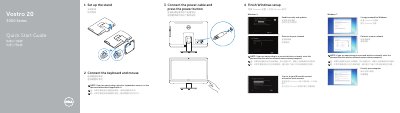
The Dell Vostro 20 3000 Series Quick Start Guide gives setup steps for the Vostro 20-3055 computer. It covers installing the stand, connecting the keyboard and mouse, connecting the power cable, pressing the power button, and finishing Windows setup, with Windows 8 and Windows 7 labels for the setup topics. The guide is presented in English, Simplified Chinese, and Traditional Chinese.
It then lists the computer features and connectors, including camera, microphone, optical drive, OSD buttons, power button, speakers, HDMI-out, USB 2.0 and USB 3.0 connectors, line-out, power, network, stand, service-tag label, headset, and memory-card reader. It gives Dell support and regulatory links, and identifies regulatory model W15B, regulatory type W15B001, and computer model Vostro 20-3055.
| Computer model | Vostro 20-3055 |
|---|---|
| Regulatory model | W15B |
| Regulatory type | W15B001 |
| Optical drive | Optional |
Enter the password for the wireless network access when prompted.
The guide points to the Owner’s Manual at dell.com/support.
See the documentation that shipped with the wireless keyboard or mouse.