
Dell Inspiron 15-3559 Laptop Quick Start Guide
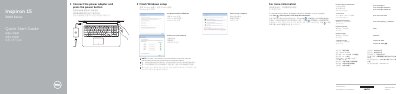
The Dell Inspiron 15-3559 Quick Start Guide provides essential instructions for setting up the laptop, including Windows configuration, network connection, and computer protection.
It details the hardware layout of the Inspiron 15 3000 Series, identifying various ports, buttons, and indicator lights, as well as a guide to the keyboard shortcut keys for media and system control. This manual is written in Chinese.
| Rated Voltage | 100 - 240 V (AC) |
|---|---|
| Rated Frequency | 50 - 60 Hz |
| Rated Input Current | 1.30 A (45 W) / 1.70 A (65 W) |
Click Start → All Programs → Dell Help Documentation.
The rated voltage is 100-240 volts AC and the rated frequency is 50-60 Hz.
The regulatory label is located in the battery bay.
When prompted, enter the password for the wireless network access.