
The Dell OptiPlex 7440 All-in-One Quick Start Guide provides instructions on how to connect the power cable and other devices, install the cable cover (optional), remove the torx screw from the cable cover (optional), press the power button, and finish Windows setup.
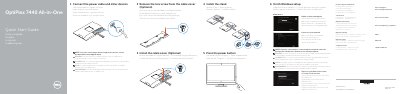
This quick start guide provides step-by-step instructions for setting up the Dell OptiPlex 7440 All-in-One computer. It covers connecting the power cable and peripherals, installing the optional cable cover and stand, pressing the power button, and completing Windows setup including security updates and network connection.
The guide also lists the computer's ports and features, such as the camera, microphone, DisplayPort, HDMI, USB 3.0 and 2.0 connectors, network port, and memory card reader. Regulatory details include model W11C and type W11C001, and the guide directs users to Dell's support website for manuals and contact information.
When prompted, enter the password for the wireless network access.
OptiPlex 7440 AIO.
It is optional.
Enter the password for the wireless network access when prompted.