
Dell Inspiron 15 3000 Series Quick Start Guide.
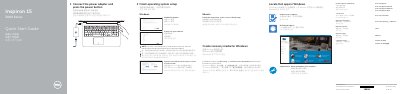
This Quick Start Guide provides initial setup instructions for the Dell Inspiron 15 3000 Series laptop, computer model Inspiron 15-3558. It covers connecting the power adapter, finishing Windows or Ubuntu setup, enabling Dell updates, connecting to a network, and signing in to a Microsoft account.
The document also lists feature locations and shortcut keys, such as mute, volume, brightness, playback controls, external display switching, search, and wireless on/off. It identifies 19 computer parts and directs users to Dell.com/support for manuals and specifications.
| USB 3.0 port | 1 |
|---|---|
| USB 2.0 ports | 2 |
| Media-card reader | 1 |
| Security-cable slot | 1 |
| Battery-release latch | 1 |
| Service Tag label | 1 |
Enter the password for the wireless network access when prompted.
Visit Dell.com/support, Dell.com/support/manuals, Dell.com/support/windows, or Dell.com/support/linux.
Use the Turn off/on wireless shortcut key.
In Windows search, type Recovery, click Create a recovery media, and follow the instructions on the screen.