
Dell Vostro 15 3000 Series Laptop Quick Start Guide
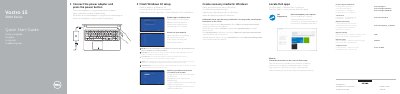
The Dell Vostro 15 3000 Series Quick Start Guide gives initial setup steps for the Vostro 15-3568 laptop. It shows how to connect the power adapter and press the power button, create recovery media for Windows, and locate Dell apps including Dell SupportAssist; it also lists Ubuntu setup instructions and links for product support and manuals.
The guide covers finishing Windows 10 setup, enabling Support and Protection, connecting to a network, and signing in to a Microsoft account or creating a local account. Page 2 labels the laptop features and lists shortcut keys, and the guide also gives contact, regulatory, and safety information.
| Computer model | Vostro 15-3568 |
|---|---|
| Regulatory model | P63F |
| Regulatory type | P63F002 |
| Video ports | HDMI port and VGA port |
| USB ports | USB 2.0 port and USB 3.0 ports |
| Optical drive | Optical drive |
| Memory card reader | Memory card reader |
| Fingerprint reader | Fingerprint reader |
In Windows search, type Recovery, click Create a recovery media, and follow the instructions on the screen.
Enter the password for the wireless network access when prompted.
Dell lists Dell.com/support, Dell.com/support/manuals, and Dell.com/support/windows.
The guide lists Dell SupportAssist for checking and updating your computer.