
Dell Wyse Cloud Client Wyse 3010 Quick Start Guide

Dell Wyse Cloud Client Wyse 3010 Quick Start Guide
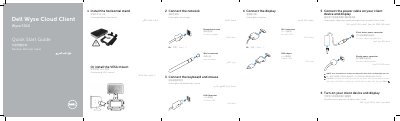

Dell Wyse Cloud Client Wyse 3010 Quick Start Guide - cover page
Brand
DELL
Category
Desktops
Document type
Quick Start Guide
Language
English
Pages
2
File format
PDF
File size
446 KB
Published
25 November, 2023
Updated
25 November, 2023
MD5 checksum
AC38ADF67A528526FB507EC8C882DC29

About this manual

This quick start guide covers initial setup of the Dell Wyse Cloud Client Wyse 3010. It shows how to connect the keyboard and mouse, display, network, power cable, and turn on the device.

It also lists product features, support and manual links, and regulatory information. Components may vary based on model and location.

What's inside

  • Connect the keyboard and mouse
  • Connect the display
  • Connect the network
  • Install the horizontal stand or VESA mount
  • Connect the power cable
  • Turn on the client device and display
  • Features
  • Product support and manuals
  • Regulatory and safety

Specifications

Network port10/100/1000 Base-T
DVI-I port1x DVI-D / 1x VGA
Power input+12V DC
SD card slotAvailable only on some 3010 devices
Wireless antenna portOptional

Frequently asked questions

When is the client device ready to use?

The client device is ready to use when the client device activity light goes off.

Do components vary by model or location?

Yes, components may vary based on model and location.

Is the SD card slot available on every Wyse 3010 device?

No, the SD card slot is available only on some 3010 devices.

Download PDF (446 KB)

More DELL Manuals


View all DELL manuals →