
Dell Latitude 14 3480 3000 Series Quick Start Guide
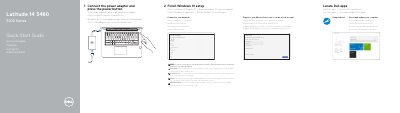
This two-page quick start guide from Dell covers the initial setup of the Latitude 14-3480 (3000 Series) computer. It walks through locating Dell apps such as SupportAssist, connecting the power adapter and pressing the power button, finishing Windows 10 setup, connecting to a network, and signing in to a Microsoft account or creating a local account. A note explains that a password is needed when connecting to a secured wireless network.
The second page labels the computer's features, including the camera, microphone, SIM-card slot, power button, Noble Wedge security-cable slot, VGA, USB 2.0, USB 3.0 and HDMI ports, memory card reader, fingerprint reader, touchpad, speakers and Service Tag label. It also lists the regulatory model P79G, regulatory type P79G001 and computer model Latitude 14-3480, and points to Dell support, contact and regulatory compliance web pages. Text is given in English, Danish, Finnish, Norwegian and Swedish.
| Computer model | Latitude 14-3480 |
|---|---|
| Regulatory model | P79G |
| Regulatory type | P79G001 |
| Video port | VGA port |
| USB ports | USB 2.0 port; USB 3.0 port; USB 3.0 port with PowerShare |
| Other ports | HDMI port, network port, power adapter port, headset/microphone combo jack |
| Optional features | SIM-card slot, fingerprint reader |
Connect the power adapter and press the power button, then finish the Windows 10 setup.
Dell lists its support pages at Dell.com/support and its manuals at Dell.com/support/manuals.
The guide lists the Service Tag label as feature number 25 on the computer.
Yes, a fingerprint reader is listed as an optional feature.