
The Dell Vostro 3660/3669 Quick Start Guide provides instructions on how to connect the keyboard and mouse, connect the network cable (optional), connect the display, connect the power cable and press the power button, and finish operating system setup.
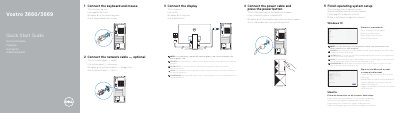
This quick start guide covers initial setup of the Dell Vostro 3660/3669, including connecting the keyboard and mouse, optional network cable, display, and power cable, then completing operating system setup for Windows 10 or Ubuntu.
It also identifies the computer's features and ports, mentions SupportAssist for checking and updating the computer, and lists product support, manuals, regulatory, and safety resources.
| Ports and connectors | VGA, HDMI, USB 2.0, USB 3.0, network, line-in, line-out, headset, microphone |
|---|---|
| Expansion | Expansion card slots |
| Security | Security cable slot and padlock ring |
Connect the display to the discrete graphics card.
Connect to your network, then sign in to your Microsoft account or create a local account.
SupportAssist can check and update your computer.
Visit Dell.com/support and Dell.com/support/manuals.