
Dell Inspiron 17-5758 Laptop Quick Start Guide

Dell Inspiron 17-5758 Laptop Quick Start Guide
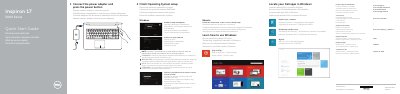

Dell Inspiron 17-5758 Laptop Quick Start Guide - cover page
Brand
DELL
Category
Laptops
Document type
Quick Start Guide
Language
English
Pages
2
File format
PDF
File size
591 KB
Published
25 November, 2023
Updated
25 November, 2023
MD5 checksum
D5015C16E24394D792E054A169DD94E8

About this manual

This document is a multilingual Quick Start Guide for the Dell Inspiron 17-5758 laptop. It covers the initial setup process, including connecting the power adapter, enabling security updates, connecting to a network, and signing into a Microsoft account. The guide also provides instructions for using the Ubuntu operating system.

What's inside

  • Finish Operating System setup
  • Enable security and updates
  • Connect to your network
  • Sign in to your Microsoft account
  • Features
  • Shortcut keys

Frequently asked questions

What does the guide say to do to start the computer?

Connect the power adapter and press the power button.

What should you do if you connect to a secured wireless network?

Enter the password for the wireless network access when prompted.

Where is the regulatory label located?

The regulatory label is in the battery bay.

Download PDF (591 KB)

More DELL Manuals


View all DELL manuals →