
This guide describes how to quickly get started with your Lenovo computer.
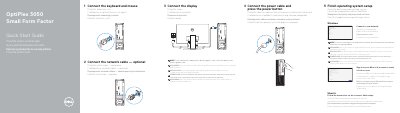
This two-page quick start guide from Dell shows how to set up an OptiPlex 3050 Small Form Factor computer. It walks through connecting the keyboard and mouse, an optional network cable, the display, and the power cable before pressing the power button, and then finishing the operating system setup for Windows or Ubuntu.
The guide also points to the Dell apps on the computer, such as SupportAssist, and illustrates the front and back features of the system, including the optional optical drive, HDMI, DisplayPort and optional VGA ports, USB 2.0 and USB 3.0 ports, network port and Kensington security cable slot. Support, contact and regulatory information are listed at the end, along with the regulatory model D11S and computer model OptiPlex 3050 SFF.
| Computer model | OptiPlex 3050 SFF |
|---|---|
| Regulatory model | D11S |
| Display outputs | HDMI port, DisplayPort, VGA port (optional) |
| USB ports | USB 2.0 ports and USB 3.0 ports |
| Optical drive | Optional |
| Memory card reader | Optional |
| Security | Kensington security cable slot |
Connect the display to the discrete graphics card instead of the on-board connector.
Enter the password for the wireless network access when prompted.
Dell lists Dell.com/support, Dell.com/support/manuals and Dell.com/contactdell as the support, manual and contact addresses.
SupportAssist is the Dell app shown for checking and updating the computer.