
Dell Precision Mobile Workstation 7000 Series Quick Start Guide

The Dell Precision Mobile Workstation 7000 Series Quick Start Guide provides information on how to set up and use your Dell Precision Mobile Workstation 7000 Series laptop.
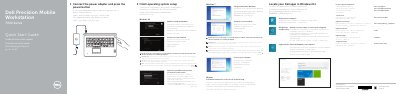

Dell Precision Mobile Workstation 7000 Series Quick Start Guide - cover page
Brand
DELL
Document type
Quick Start Guide
Language
English
Pages
2
File format
PDF
File size
1.2 MB
Published
25 November, 2023
Updated
25 November, 2023
MD5 checksum
7C390E7F0CFF557990786BAF5DBF8196

About this manual

This guide helps you quickly set up the Dell Precision -7710 mobile workstation. It covers connecting power, completing Windows 8.1 setup, enabling security and updates, and connecting to your network. Optional features like fingerprint reader, camera, and USB-C are also listed.

For detailed instructions, refer to the full Owner's Manual at dell.com/support/manuals.

What's inside

  • Connect Power Adapter
  • Complete OS Setup
  • Enable Security and Updates
  • Connect to Network
  • Sign In to Microsoft Account
  • Locate Dell Apps in Windows 8.1
  • Product Support and Manuals
  • Regulatory and Safety
  • Features
  • Help and Tips

Frequently asked questions

What should you do first to start the computer?

Connect the power adapter and press the power button.

What should you enter if you connect to a secured wireless network and are prompted?

Enter the password for the wireless network access when prompted.

Is the USB-C connector on the computer optional?

Yes, the feature list identifies the USB-C connector as optional.

What is Dell Backup and Recovery used for?

It is used to backup, recover, repair, or restore your computer.

Download PDF (1.2 MB)

More DELL Manuals


View all DELL manuals →