
Dell Latitude 14 7000 Series Laptop Quick Start Guide
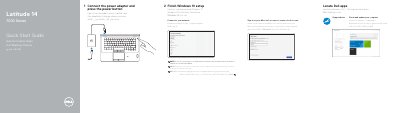
Page 1 gives setup steps: connect the power adapter and press the power button, finish Windows 10 setup, connect to a network, and sign in to a Microsoft account or create a local account. It notes that a password is required when connecting to a secured wireless network and describes using SupportAssist to check and update the computer.
Page 2 lists the laptop's features, including the network, HDMI, and Mini DisplayPort connectors; USB 3.0 connectors; power connector; SIM port; memory card reader; headset connector; optional smart-card and fingerprint readers; status lights; speakers; touchpad; security-cable slot; dock connector; and service-tag label. It also gives Dell support links and identifies the computer model as Latitude 14-7470/E7470, the regulatory model as P61G, and the regulatory type as P61G001.
| Computer model | Latitude 14-7470/E7470 |
|---|---|
| Regulatory model | P61G |
| Regulatory type | P61G001 |
| USB 3.0 connectors | 2 |
| USB 3.0 connector with PowerShare | Included |
| SIM port | Optional |
| Contactless smart-card reader | Optional |
Connect the power adapter and press the power button.
Enter the password for the wireless network access when prompted.
Dell provides product support and manuals at Dell.com/support and Dell.com/support/manuals.
Use SupportAssist to check and update the computer.