
The Dell PowerConnect J-Series J-SRX240 Services Gateway Quick Start Guide.
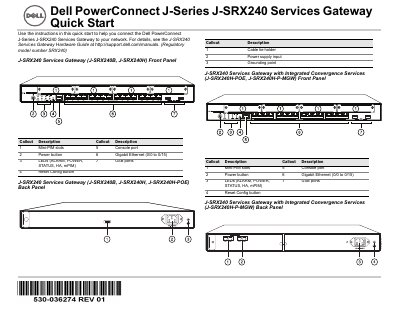
This guide helps you connect the Dell J-SRX240 Services Gateway to your network. It covers connecting to earth ground, powering the device, connecting a management device, and configuring basic settings. The guide also includes steps for configuring voice support on the J-SRX240H-P-MGW model.
The device comes with factory default settings and requires minimal configuration to begin protecting your network. It supports Power over Ethernet on certain models and includes detailed instructions for both DHCP and static IP address setups.
| DDR Memory | 512 MB (J-SRX240B), 1 GB (J-SRX240H, J-SRX240H-POE, J-SRX240H-P-MGW) |
|---|---|
| Power over Ethernet | 150 watts (J-SRX240H-POE and J-SRX240H-P-MGW models) |
| Default IP Address | 192.168.1.1/24 |
Connect a 14 AWG single-strand, 4 A grounding cable with a ring-type, vinyl-insulated TV14-6R lug to the grounding point on the upper rear of the chassis, secured with a 6-32 UNC screw.
The device assigns an IP address on the 192.168.1/24 subnetwork (other than 192.168.1.1).
Launch a web browser on the management device and enter http://192.168.1.1. Log in with the default username 'root' and no password.