
This quick start guide describes how to use the Huawei MateBook X Pro.
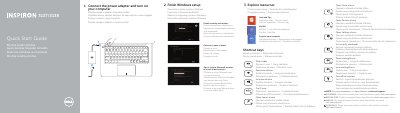
This Dell quick start guide for the Inspiron 3137/3138 computer walks through the first steps: connecting the power adapter and turning the computer on, finishing the Windows setup (enabling security and updates, signing in with a Microsoft account or creating a local account, and connecting to a network), and exploring resources such as Help and Tips, My Dell and computer registration. A NOTE points to the Specifications section at dell.com/support for more information.
The guide also lists the computer's features with numbered callouts, including the camera-status light, camera, digital microphones, security-cable slot, network port, USB 2.0 and USB 3.0 ports, media-card reader, touchpad areas, hard-drive activity light, power and battery-status light, headset port, HDMI port, power-adapter port, power button, and the regulatory and Service Tag labels. Shortcut keys cover mute audio, volume up and down, play/pause, the Search, Share, Devices and Settings charms, the recently used apps list and brightness. Support and contact addresses are given (dell.com/support, dell.com/support/manuals, dell.com/windows8, dell.com/contactdell, dell.com/regulatory_compliance). The text is printed in China, dated 2013-09, and is repeated in English, Czech, Hungarian, Polish and Slovak.
| Computer model | Inspiron 3137/3138 |
|---|---|
| Regulatory model | P19T |
| Regulatory type | P19T001/P19T003 |
| USB ports | USB 3.0 port and USB 2.0 port |
| Video port | HDMI port |
| Media-card reader | Included |
| Network port | Included |
| Microphones | Digital microphones (2) |
Connect the power adapter and then turn on the computer.
The guide says to see the Specifications section at dell.com/support.
The computer model is Inspiron 3137/3138, with regulatory model P19T.
Enable security and updates, sign in to a Microsoft account or create a local account, and connect to your network.