
The Dell Latitude 5580 Quick Start Guide provides information on how to set up and use the Dell Latitude 5580 laptop.
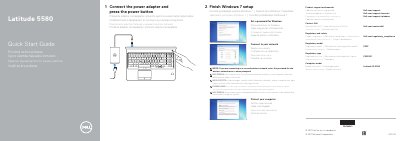
This Dell Quick Start Guide is for the Latitude 15-5580 computer. It covers connecting the power adapter and pressing the power button, finishing Windows 7 setup, setting a Windows password, connecting to a network, and protecting the computer.
The guide also lists computer features and provides links to Dell product support, manuals, Windows support, and contact information. Regulatory details include regulatory model P60F, regulatory type P60F001, and computer model Latitude 15-5580.
| Computer model | Latitude 15-5580 |
|---|---|
| Regulatory model | P60F |
| Regulatory type | P60F001 |
Connect the power adapter and press the power button.
Connect to your network. If the network is secured, enter the wireless network password when prompted.
Dell product support and manuals are available at Dell.com/support, Dell.com/support/manuals, and Dell.com/support/windows.