
Dell Alienware OptX™ AW2310 Full HD Widescreen Display User Manual

The Alienware OptX™ AW2310 Full HD Widescreen Display is a 23-inch display with a resolution of 1920x1080 and a refresh rate of 120Hz. It also has a 2ms response time and a 1000:1 contrast ratio.

Dell Alienware OptX™ AW2310 Full HD Widescreen Display User Manual - cover page
Brand
DELL
Category
Monitor
Document type
User Manual
Language
English
Pages
2
File format
PDF
File size
2.8 MB
Published
25 November, 2023
Updated
25 November, 2023
MD5 checksum
34DA015DF1A9746D669386EC0EFD501F

About this manual

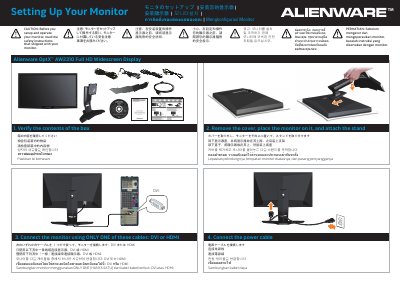
This manual guides you through setting up your Alienware OptX™ AW2310 monitor. Connect using DVI or HDMI, plug in the power cable, and attach the stand. Safety instructions are included before operation. The monitor supports 3D display, with system requirements and accessories detailed in the User's Guide.

What's inside

  • Setting Up Your Monitor
  • Safety Instructions
  • Connecting Cables
  • Power Connection
  • 3D Display Support

Frequently asked questions

How do I connect the monitor?

Connect using ONLY ONE of these cables: DVI or HDMI.

What is required to turn on the monitor?

Touch the Power control to turn on the monitor.

Can I use this monitor for 3D display?

Yes, you can experience 3D display on your AW2310 monitor.

Download PDF (2.8 MB)

More DELL Manuals


View all DELL manuals →