
The Dell Inspiron 11 3000 Series Quick Start Guide.
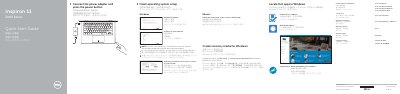
This is Dell's Quick Start Guide for the Inspiron 11 3000 Series computer, identified in the document as computer model Inspiron 11-3158 (regulatory model P20T, regulatory type P20T004). The printed guide is dated 2015-07 and is given in English, Chinese and Japanese.
The guide walks through initial setup: connecting the power adapter and pressing the power button, finishing operating system setup for Windows or Ubuntu, connecting to a network, and signing in with a Microsoft account or creating a local account. It also points to SupportAssist, computer registration, Dell apps, creating Windows recovery media, Dell support and contact pages, and regulatory and safety information. A labeled illustration names the computer's features and ports, and lists cover shortcut keys and notebook, tablet, tent and stand modes.
| Ports | Power-adapter port, HDMI port, USB 3.0 port with PowerShare, USB 3.0 port, headset port, USB 2.0 port, media-card reader, security-cable slot |
|---|---|
| Document date | 2015-07 |
Connect the power adapter and press the power button, then finish operating system setup by following the instructions on the screen.
Enter the password for the wireless network access when prompted.
In Windows search, type Recovery, click Create a recovery media, and follow the instructions on the screen.
Dell directs you to Dell.com/support for specifications, and to Dell.com/support/manuals for manuals.