
Dell™ Printer Setup Guide: This guide will walk you through setting up and operating your Dell™ printer.
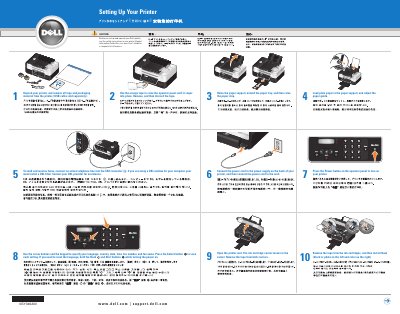
The Dell V505 Printer Setup Guide provides essential instructions for the initial installation of the device. It covers physical preparation, including removing packaging material and connecting power and telephone lines for faxing.
The guide also details the process for installing ink cartridges, configuring system settings such as language and date, and installing the necessary drivers and utilities via CD.
To reset the language, hold the Back and Start buttons while turning the power on.
You must install a DSL filter when connecting an active telephone line into the FAX connector.