
The Dell Latitude 3189 Quick Start Guide provides information on how to use the Dell Latitude 3189 laptop.
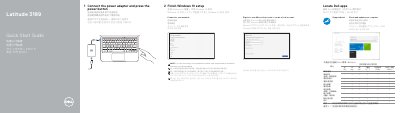
This document serves as a Quick Start Guide for the Dell Latitude 3189 laptop. It provides multilingual instructions for the initial setup process, which involves connecting the power adapter and pressing the power button, followed by finishing the Windows 10 setup and connecting to a network. It also guides users on signing into a Microsoft account and locating Dell applications.
| Operating System | Windows 10 |
|---|---|
| Power Input | 100 - 240 Volts AC |
| Power Frequency | 50 - 60 Hertz |
| Input Current | 1.6 Amps / 1.7 Amps |
Connect the power adapter and press the power button.
Enter the password for the wireless network access when prompted.
You can visit Dell.com/support or Dell.com/support/manuals.