
Inspiron 15 7000 Series Notebook Quick Start Guide.
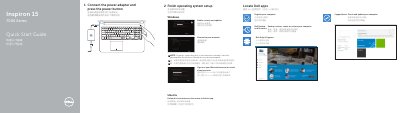
This Quick Start Guide for the Dell Inspiron 15 7000 Series notebook explains initial setup, including connecting the power adapter, finishing operating system setup, enabling security and updates, connecting to a network, and signing in to a Microsoft account or creating a local account. It also covers Ubuntu setup and locating Dell applications such as SupportAssist, Dell Backup and Recovery, and Dell Help & Support.
The document identifies features including microphones, camera, USB 3.0 ports, HDMI port, network port, and power button. It lists shortcut keys for audio, display, keyboard backlight, wireless, and Fn-key lock, and provides support and regulatory information for models including Inspiron 15-7557.
| USB 3.0 ports | 2 |
|---|---|
| Regulatory model | P57F |
| Computer model | Inspiron 15-7557 |
Connect the power adapter and press the power button.
Enter the password for the wireless network access when prompted.
See Specifications at Dell.com/support.