
Dell W4200 42-inch Plasma TV Quick Start Guide

The Dell™ W4200 42-inch plasma TV is a high-quality television with the following features:
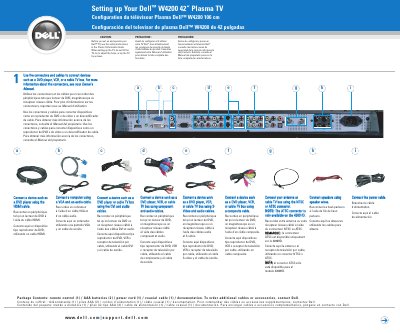

Dell W4200 42-inch Plasma TV Quick Start Guide - cover page
Brand
DELL
Category
Television
Document type
Quick Start Guide
Language
English
Pages
2
File format
PDF
File size
6.2 MB
Published
25 November, 2023
Updated
25 November, 2023
Model
W4200
MD5 checksum
65B73784018F34B5C87EF8CD72F4CD9E

About this manual

This document is the setup guide for the Dell W4200 42-inch Plasma TV, provided in English, French, and Spanish. It explains how to set up and connect the television.

It covers connecting power and external devices such as DVD players, VCRs, cable boxes, antennas, speakers, and computers; installing remote batteries; turning on the TV; selecting the correct input source; using the on-screen display; and presetting viewable channels.

What's inside

  • Package Contents
  • Connect the power cable
  • Connect to device such as DVD player, VCR, or cable TV box
  • Connect antenna or cable TV box using NTSC or ATSC connector
  • Install batteries in your remote control
  • Plug in and turn on your TV
  • Press input on your remote control
  • Select the proper input source for your TV
  • Access the on-screen display (OSD)
  • Preset viewable channels

Specifications

Screen size42-inch
Package contentsremote control, AAA batteries, power cord, coaxial cable, documentation

Frequently asked questions

What is included in the package?

The package includes a remote control, AAA batteries, a power cord, a coaxial cable, and documentation.

How many AAA batteries are included with the TV?

The package includes two AAA batteries.

Should the TV be tilted or its base adjusted during setup?

No, do not tilt the TV or try to adjust the base during setup.

Which model has the ATSC connector?

The ATSC connector is only available on the 4200HD.

Download PDF (6.2 MB)

More DELL Manuals


View all DELL manuals →