
Dell Inspiron 3656 Computer Quick Start Guide

Inspiron 3656 Quick Start Guide.
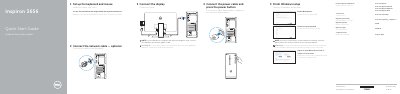

Dell Inspiron 3656 Computer Quick Start Guide - cover page
Brand
DELL
Category
Desktops
Document type
Quick Start Guide
Language
English
Pages
2
File format
PDF
File size
397 KB
Published
24 November, 2023
Updated
24 November, 2023
MD5 checksum
C6E4CD586E614411EA09D95229212F78

About this manual

The Dell Inspiron 3656 Quick Start Guide provides essential instructions for setting up the computer, including connecting the network cable, display, and power, as well as installing the keyboard and mouse.

It also guides users through the final steps of Windows installation, including network connection, account setup, and enabling Dell updates.

What's inside

  • Connect the network cable
  • Connect the display
  • Connect the power cable
  • Set up the keyboard and mouse
  • Finish Windows setup
  • Features

Specifications

USB 3.0 ports2
USB 2.0 ports4
Audio ports3
Regulatory modelD19M

Frequently asked questions

Where should I connect the display if the computer has a discrete graphics card?

If the computer was ordered with a discrete graphics card, the display should be connected to that card.

Where should the display be connected if the computer has a discrete graphics card?

If the computer was ordered with a discrete graphics card, the display should be connected to that card.

How do I create recovery media for this computer?

Type Recovery in Windows search, select Create a recovery media, and follow the on-screen instructions.

Download PDF (397 KB)

More DELL Manuals


View all DELL manuals →