
This guide describes how to install and set up a Brocade 6510 switch in a single-switch configuration using EZSwitchSetup.
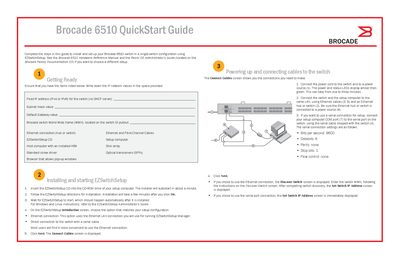
This guide describes how to install and set up a Brocade 6510 switch in a single-switch configuration using EZSwitchSetup. It covers getting ready, powering up, connecting cables, installing and starting EZSwitchSetup, setting the switch IP address, setting the switch password, configuring zones and device selection, and connecting devices.
The guide also notes that the Brocade 6510 Hardware Reference Manual and Fabric OS Administrator's Guide can be used for other setup choices. It includes serial connection settings and instructions for installing 16 Gbps and 8 Gbps SFP+ transceivers.
| Configuration scope | Single-switch configuration |
|---|---|
| Serial baud rate | 9600 bits per second |
| Serial data bits | 8 |
| Serial parity | None |
| Serial stop bits | 1 |
| Serial flow control | None |
| SFP+ transceiver speed option | 16 Gbps |
| SFP+ transceiver speed option | 8 Gbps |
EZSwitchSetup is used to install and set up the switch in a single-switch configuration.
The serial connection uses 9600 bits per second, 8 data bits, no parity, 1 stop bit, and no flow control.
Typical Zoning is selected on the Select Zoning screen.
The Finish screen displays: “Congratulations - you’ve successfully completed the setup!”