
The Dell Wyse Cloud Client Wyse 5010 Quick Start Guide provides information on how to set up and use the Dell Wyse Cloud Client Wyse 5010.
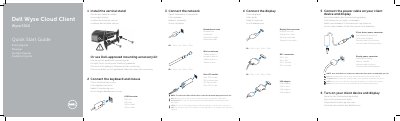
This guide provides quick start instructions for the Dell Wyse 5010 Cloud Client. It details how to connect the device to a network, attach a display, and connect power cables to prepare the unit for use.
The document includes a visual overview of the device's ports and features, such as USB 2.0 ports, DisplayPort, DVI-I, and the network port. It also notes that specific components may vary based on the model and location.
| Network port speed | 10/100/1000 Base-T or SFP |
|---|---|
| Power adapter input | +19V |
| USB ports | USB 2.0 port (2x) |
The client device is ready to use when the client device activity light goes off.
Rotate the latch and unplug it from its slot.