
The Dell Wyse Cloud Client Wyse 5030 Quick Start Guide describes how to install the horizontal stand or VESA mount, connect to the network, and connect the keyboard and mouse.
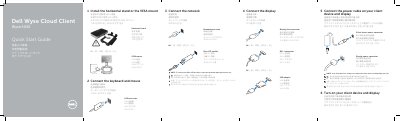
This guide helps you set up your Dell Wyse 5030 cloud client. Install the horizontal stand or VESA mount, connect power cables to both client and display, connect network cables or SFP modules, and attach keyboard and mouse. Turn on the devices and wait for the activity light to turn off to confirm readiness.
The device includes multiple ports: DisplayPort, DVI-I, VGA adapter, USB 2.0 (x2), headphone/microphone jack, line out, status LED, and network port supporting 10/100/1000 Base-T or SFP/Mini-GBIC. It is designed for server-based computing environments and complies with RoHS standards. This manual is written in Chinese.
| Rated Voltage | 100 - 240 volts AC |
|---|---|
| Rated Frequency | 50 - 60 Hz |
| Rated Input Current | 1.0 amp |
| Network Port | 10/100/1000 Base-T or SFP/Mini-GBIC |
The device complies with Taiwan’s RoHS standard CNS15663, excluding certain components like lead, mercury, cadmium, hexavalent chromium, PBB, and PBDE.
The rated voltage is 100 - 240 volts (AC).
The rated input current is 1.0 ampere.
It has a network port supporting 10/100/1000 Base-T or SFP/Mini-GBIC.