
The Dell 660s is a computer with 19 ports, including a headphone port, a microphone port, USB 2.0 ports, USB 3.0 ports, a VGA port, an HDMI port, and a network port.
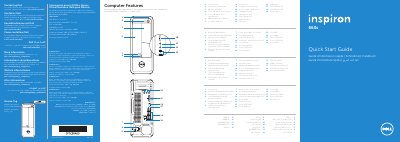
This document serves as a multilingual Quick Start Guide for the Dell Inspiron 660s computer. It identifies key hardware features on the front of the device, such as the power button, optical drive, and various ports including USB 2.0, USB 3.0, VGA, and HDMI. The guide also lists regulatory model numbers and electrical specifications for the device.
| Regulatory Model | D06S |
|---|---|
| Type | D06S001 |
| Input Voltage | 100–127 V CA/200–240 V CA |
| Input Frequency | 50 Hz/60 Hz |
| Current | 6 A/3 A |
Go to dell.com/ContactDell for sales, technical support, or customer service issues.
See dell.com/regulatory_compliance for regulatory and safety best practices.