
Brocade 6505 Switch QuickStart Guide

This guide describes how to install and set up a Brocade 6505 switch in a single-switch configuration using EZSwitchSetup.
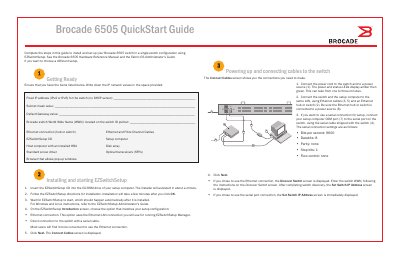

Brocade 6505 Switch QuickStart Guide - cover page
Brand
BROCADE
Category
Servers Computer
Document type
Quick Start Guide
Language
English
Pages
24
File format
PDF
File size
14.7 MB
Published
24 November, 2023
Updated
24 November, 2023
MD5 checksum
766D49177B09C0164E9C0CFCA4FA10CA

About this manual

This guide provides step-by-step instructions to install and configure the Brocade 6505 switch using the EZSwitchSetup utility in a single-switch setup. It covers the necessary items required, powering up the device, and connecting cables.

What's inside

  • Getting Ready
  • Powering up and connecting cables
  • Installing and starting EZSwitchSetup
  • Setting the switch IP address
  • Set the switch password
  • Configure the zones and perform device selection
  • Connect devices

Specifications

Serial connection settings9600 baud, 8 data bits, no parity, 1 stop bit, no flow control
Power LED behaviorAmber then green

Frequently asked questions

What is the serial connection setting for the Brocade 6505?

The settings are 9600 baud, 8 data bits, no parity, 1 stop bit, and no flow control.

What should I do if I want to choose a different setup than the default?

Refer to the Brocade 6505 Hardware Reference Manual and the Fabric OS Administrator's Guide.

Download PDF (14.7 MB)

More BROCADE Manuals


View all BROCADE manuals →