
Dell Inspiron 14-3451 Inspiron 14-3458 Computer Quick Start Guide

Dell Inspiron 14-3451 Inspiron 14-3458 Quick Start Guide
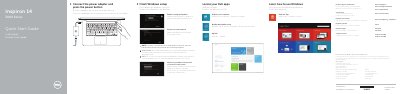

Dell Inspiron 14-3451 Inspiron 14-3458 Computer Quick Start Guide - cover page
Brand
DELL
Category
Laptops
Document type
Quick Start Guide
Language
English
Pages
2
File format
PDF
File size
657 KB
Published
24 November, 2023
Updated
24 November, 2023
MD5 checksum
B1C79179D92213B395F58546ABE31825

About this manual

This Dell Quick Start Guide covers the Inspiron 14-3451 and Inspiron 14-3458 computer models. It helps users finish Windows setup, locate Dell apps, connect the power adapter, and register the computer.

The guide also lists product features, shortcut keys, regulatory information, and support resources including dell.com/support and contact details for Dell.

What's inside

  • Finish Windows setup
  • Locate your Dell apps
  • Connect the power adapter and press the power button
  • Register your computer
  • Dell Backup and Recovery
  • Product support and manuals
  • Contact Dell
  • Regulatory and safety
  • Features
  • Shortcut keys

Specifications

Computer modelInspiron 14-3451 Inspiron 14-3458
Regulatory modelP60G
Regulatory typeP60G001 P60G002
Input voltage100 VAC–240 VAC
Output voltage19,50 VDC

Frequently asked questions

Which computer models are covered by this guide?

The guide covers the Inspiron 14-3451 and Inspiron 14-3458 computer models.

How do you start the computer?

Connect the power adapter and press the power button.

What is the regulatory model number?

The regulatory model is P60G.

Which model includes a network port?

Only the Inspiron 3458 includes a network port.

Download PDF (657 KB)

More DELL Manuals


View all DELL manuals →