
User manual for Dell laptop.
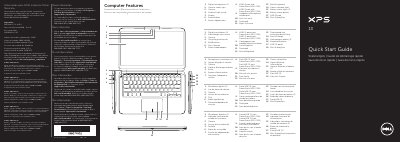
This quick start guide covers initial setup for the Dell XPS L321X and XPS L322X laptops, including connecting the power adapter, pressing the power button, completing Windows setup, and checking wireless status.
It also identifies computer features, function keys, service tag and regulatory label location, support contact information, and power adapter specifications listed in the NOM information.
| Regulatory model | P29G |
|---|---|
| Type | P29G001/P29G002 |
| Computer model | XPS L321X/XPS L322X |
| Input voltage | 100 to 240 VAC |
| Input current (maximum) | 1.30 A |
| Input frequency | 50 to 60 Hz |
| Output current (nominal) | 2.31 A |
| Output voltage (nominal) | 19.50 VDC |
Go to dell.com/ContactDell; customers in the United States can call 800-WWW-DELL (800-999-3355).
Click Start, then All Programs, then Dell Help Documentation, or go to support.dell.com/manuals.
The guide lists function keys for actions such as switching to an external display, toggling wireless, showing the battery meter, changing brightness, toggling keyboard backlight, media playback, and volume control.
The regulatory model number is P29G.