
Dell XPS 730/730X Setup and Operation Guide

This document describes how to set up and operate a Dell computer.
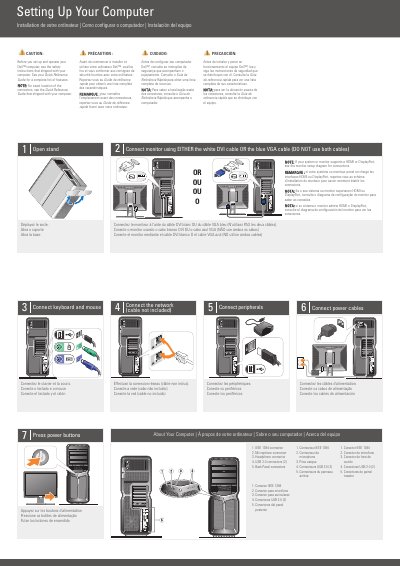

Dell XPS 730/730X Setup and Operation Guide - cover page
Brand
DELL
Category
Desktops
Document type
User Manual
Language
English
Pages
2
File format
PDF
File size
1.5 MB
Published
24 November, 2023
Updated
24 November, 2023
Models
XPS 730, 730X
MD5 checksum
02F499337AA7A99D2A4E1BD2A6A03913

About this manual

This document provides instructions for setting up a Dell XPS 730 or XPS 730X computer. It details the steps for connecting peripherals such as keyboards, mice, monitors, and network cables, as well as connecting power sources. The guide includes diagrams identifying back panel connectors like USB 2.0, IEEE 1394, and audio jacks.

What's inside

  • Setting Up Your Computer
  • Connect keyboard and mouse
  • Connect the network
  • Connect peripherals
  • Connect power cables
  • Press power buttons
  • About Your Computer
  • Connect monitor
  • Wireless Network
  • Finding Answers
Download PDF (1.5 MB)

More DELL Manuals


View all DELL manuals →