
Dell Latitude 11 Keyboard (K12M) Quick Start Guide

The Dell Latitude 11 Keyboard is a keyboard dock that can charge the tablet and provide additional USB ports and an HDMI port.
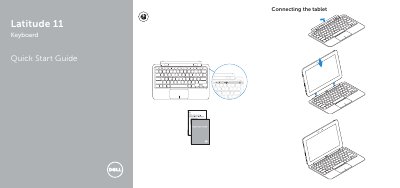

Dell Latitude 11 Keyboard (K12M) Quick Start Guide - cover page
Brand
DELL
Category
Other Electronics
Document type
Quick Start Guide
Language
English
Pages
2
File format
PDF
File size
325 KB
Published
24 November, 2023
Updated
24 November, 2023
Model
K12M
MD5 checksum
BFA1B612670AB4FD2669F21A2C58E044

About this manual

This guide covers connecting the tablet, disconnecting the tablet, and using the Dell mini Active Pen with the Dell Latitude 11 Keyboard.

It also provides product support, contact, and regulatory information for model K12M.

What's inside

  • Connecting the tablet
  • Disconnecting the tablet
  • Using the Dell mini Active Pen
  • Product support and manuals
  • Contact Dell
  • Regulatory and safety

Specifications

Regulatory modelK12M001
Rated voltage100-240 V AC
Rated input current0.9 A (30 W)

Frequently asked questions

What is the regulatory model number of the Dell Latitude 11 Keyboard?

The regulatory model number is K12M001.

What is the rated input current of the Dell Latitude 11 Keyboard?

The rated input current is 0.9 A (30 W).

Where can I find product support and manuals for the Dell Latitude 11 Keyboard?

Product support and manuals are listed at Dell.com/support and Dell.com/support/manuals.

How do I contact Dell about the Latitude 11 Keyboard?

Contact information is provided at Dell.com/contactdell.

Download PDF (325 KB)

More DELL Manuals


View all DELL manuals →