
The Dell Latitude 3480 is a mobile thin client with the following features: 1. Camera; 2. Camera status light; 3. Microphone; 4. Infrared emitter (Touch version only); 5. Infrared camera (Touch version only); 6. Camera (Touch version only); 7. Camera status light (Touch version only); 8. Microphones (Touch version only); 9. Power button; 10. Noble Wedge security-cable slot; 11. VGA port; 12. USB 2.0 port; 13. Memory card reader; 14. Fingerprint reader (optional); 15. Status light; 16. Speakers; 17. Touchpad; 18. Headset/microphone combo jack; 19. USB 3.0 port; 20. USB 3.0 port with PowerShare; 21. HDMI port; 22. Network port; 23. Power adapter port; 24. Service Tag label.
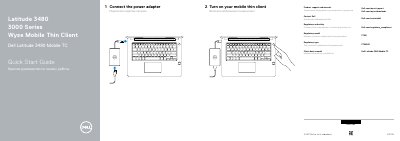
This quick start guide shows how to connect the power adapter and turn on the Dell Latitude 3480 Mobile Thin Client. It also identifies the device features, ports, and controls, with English and Russian labels.
Product support and manuals are available at Dell.com/wyse/support and Dell.com/wyse/downloads.
The guide lists features such as the camera, power button, VGA port, USB ports, memory card reader, touchpad, HDMI port, network port, and power adapter port.