
The Dell ThunderboltTM Dock WD19TB Quick Start Guide is a product manual for the Dell ThunderboltTM Dock WD19TB.
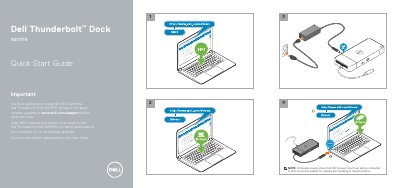
This document is a Quick Start Guide for the Dell Thunderbolt Dock WD19TB. It highlights critical pre-use requirements, specifically the need to update the computer's BIOS and the Dock's drivers to the latest versions available on the Dell support website to ensure proper recognition and optimal functionality. It also notes that computers requiring more than 130 W of power input must be connected to their own power adapter. This manual is written in Chinese.
| Input Voltage | 100 V CA–240 V CA |
|---|---|
| Input Frequency | 50 Hz–60 Hz |
| Input Current | 2,34 A or 2,5 A |
| Output Voltage | 19.5 V CC |
| Output Current | 9,23 A |
| USB Type-C Port Speed | 5 Gbps |
| Thunderbolt 3 Port Speed | up to 40Gbps |
Yes, you must update your computer's BIOS and the Dell Thunderbolt Dock WD19TB drivers to the latest versions available at www.dell.com/support before using the Dock.
Older BIOS versions and drivers could result in the Dell Thunderbolt Dock WD19TB not being recognized by your computer or not functioning optimally.
Yes, but computers requiring more than 130 W power input must also be connected to their own power adapter for charging and operating at full performance.